Showing posts with label PPA. Show all posts

This tutorial will help you to get LibreOffice 7.6 on Ubuntu side-by-side with and without removing the preinstalled version. We offer several ways you may choose to do so. It can be practiced to any one of Official Flavors like Kubuntu and Lubuntu, as well as derivatives like Elementary and Zorin. Now let's practice that.


Subscribe to UbuntuBuzz Telegram Channel to get article updates.
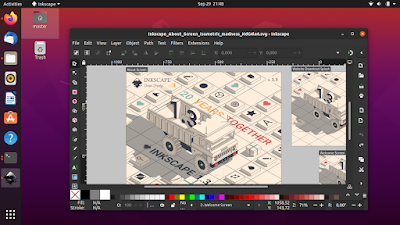
This tutorial will help you install Inkscape 1.3 or upgrade the application to the latest version on Ubuntu. Inkscape is the professional illustrator and vector graphic editor from the free software community. We thank you Inkscape Developers for developing Inkscape continuously and congratulate the users to use it. Happy drawing!

Subscribe to UbuntuBuzz Telegram Channel to get article updates.

This list is a collection of third-party software repositories better known as Personal Package Archives (PPAs) for Ubuntu 22.04 LTS Jammy Jellyfish. With these, user can add versions of app and game to their Ubuntu computer system which are not available via official repositories. This article continues our tradition since version Xenial, Zesty, and Focal


Subscribe to UbuntuBuzz Telegram Channel to get article updates.

This article explains how you can install OpenShot Video Editor on Ubuntu. OpenShot is a simple, very easy to use free software to edit videos that is suitable for general purpose users including teachers at school. This works with the OS version 22.04 and later as well as 20.04 and before.

Subscribe to UbuntuBuzz Telegram Channel to get article updates.

Here you find summary all our works on Ubuntu 20.04 from Download Links to Installation Guide from Reviews to Apps Recommendations plus Beginner's Guide in one place. For us facing pandemic right now, there is even Corona Kit to help remote works with only Free Software. This summary also covers six Official Flavors from Kubuntu to Ubuntu Budgie. For everyone who wants to know Focal Fossa this summary is really for you. Enjoy!

 Subscribe to UbuntuBuzz Telegram Channel to get article updates.

Traditionally before 20.04 you looked for PPAs to install more software and get more updates on Ubuntu from outside of the official repository. Fortunately this tradition is still alive. This article once again brings you PPAs for Focal Fossa. This big list includes only Free/Libre Open Source Software from Audacious to Wine sorted alphabetically. This time it welcomes Element as new app as well. Last but not least, it includes explanation, how to install and uninstall the apps for you. Happy working!

Subscribe to UbuntuBuzz Telegram Channel to get article updates directly.

With this article you can turn Ubuntu Focal Fossa into a full professional graphic design system. This enables mass resize pictures by one click. You are given 2D and 3D graphic editing tools for both raster and vector types including animation suite and video production. For photography, I include here darkroom tools and camera management software. Last but not least, I also include a game engine which is able to produce cross platform video games. I listed them here alphabetically with necessary information I think important placed under every name. All applications below are free software. I hope this article will be useful for you. Happy designing!


Subscribe to UbuntuBuzz Telegram Channel to get article updates directly.

The professional free graphic design software Inkscape released version 1.0 few moments ago for all computer operating systems. Now Ubuntu users ask how to install it on Ubuntu and also on other GNU/Linux distros. Fortunately, we have a standard way to install it, and alternatively you can choose other method as you wish including portable and the 32-bit architecture versions. For all users in general I recommend more to try the AppImage version as it is the easiest one. Enjoy!

(Focal Fossa with Inkscape version 1.0)
Subscribe to UbuntuBuzz Telegram Channel to get article updates directly.

 (Shutter screenshot tool on Eoan Ermine works nicely)

I use Shutter since long ago as my only screenshot editing tool in UbuntuBuzz website and in other blogs. So far it's excellent, but since Ubuntu 18.10 I cannot use it anymore because no Shutter available in 18.10 onward. Not only that, Shutter in 18.04 is also broken as it could not edit picture, while previous ones could. Fortunately, thanks to LinuxUprising PPA maintainer, there is a Shutter repository available for 18.04 onward we can use for 18.10, 19.04, and 19.10 today. So let's install Shutter and work amazingly as we did usually.

Subscribe to UbuntuBuzz Telegram Channel to get article updates directly.

(Plasma 5.16 on Kubuntu 19.04)

KDE Project released its latest desktop Plasma 5.15 at February and Plasma 5.16 at June this year. This article informs how to install the latest one on Kubuntu Disco 19.04 and --if you cannot upgrade-- what other distros available for you preinstalled with either of both versions. Enjoy!

Subscribe to UbuntuBuzz Telegram Channel to get article updates directly.


After Basic Software Installation, this seventh tutorial talks about adding PPA and installing software from it. A PPA is actually a repository. People use PPAs mostly for installing software versions that are not available in Ubuntu normal repository. You will learn what PPAs available and how to determine a PPA suitable to your version of Ubuntu or not. You will also learn how to remove a PPA and the package installed from it. Happy learning!

Subscribe to UbuntuBuzz Telegram Channel to get article updates directly.


While we want to follow elementary OS latest updates, we may find it's difficult to find its official Launchpad PPA addresses. For example, if you want to try 5.0 "Juno" but you cannot get latest ISO image, then installing software in development version from PPA on Loki is the only way. If you are a review writer (like me) you need those PPAs, but believe me it's hard to find them on elementary OS website. So, I think it will be good to have a list of elementary OS PPAs in one article with instruction to install each. As a bonus, these PPAs of elementary OS are also installable for Ubuntu or Mint i.e. to install Pantheon Desktop on Ubuntu.

Subscribe to UbuntuBuzz Telegram Channel to get article updates directly.


If you're a Kubuntu 17.10 user and want to test Plasma 5.11 beta including the new Plasma Vault, use Kubuntu Beta Backports PPA. This PPA is provided by Kubuntu Package Archives Team and the packages uploaded by Rik Mils. And yes, don't worry, the version number 5.10.95 is 5.11 beta. This information is first published by Kubuntu Team and is related to KDE Plasma 5.11 release at 14 September 2017 by KDE Team. Big thanks for them all especially Rik Mils! Happy testing!

Subscribe to UbuntuBuzz Telegram Channel to get article updates directly.


Latte is a new MacOS-like dock desktop decoration for KDE Plasma. It's first released in 14 January 2017 as v0.5.90. It's now installable for Kubuntu from PPA (and other distros via specific channels). If you're a Kubuntu user and waiting for a decent dock, or if you missed the legendary AWN dock, then Latte is for you. This article will show you some pictures (and GIF) and features of Latte. Enjoy!

Subscribe to UbuntuBuzz Telegram Channel to get article updates directly.


The latest Budgie Desktop 10.4 is finally available for Ubuntu 17.10, 17.04, and 16.04 LTS. The 17.10 users can install it directly from repo, while 17.04 users can use ubuntubudgie PPA, and 16.04 LTS users can use budgie-remix PPA. Big thanks for David and Ubuntu Budgie Team to package and provide all these binary packages of the latest Budgie!

Subscribe to UbuntuBuzz Telegram Channel to get article updates directly.


The latest KDE Plasma 5.10.5 is available for Kubuntu 17.04 "Zesty Zapus" at 24 August 2017. It's available via Kubuntu Backports PPA. For your information, the latest Plasma itself released at 22 August. Now, if you're a Kubuntu 17.04 user, you can upgrade your Plasma either fully or just partially for some components you like! Read the simple instructions below.

Subscribe to UbuntuBuzz Telegram Channel to get article updates directly.


The latest Inkscape 0.9.22 has been released at 07 August 2017. This release comes with more stability, a lot of fixes, and contribution is now easier because Inkscape development has been moved to GitLab. This article also includes a PPA to install Inkscape 0.9.22 for Ubuntu 14.04, 16.04, until 17.10 Artful Aardvark. Now time to install it and enjoy!

Subscribe to UbuntuBuzz Telegram Channel to get article updates directly.


This is a list of GNU/Linux distros which bring latest Plasma 5.10 and info about how to upgrade to 5.10. This includes Neon OS, Slackware, Ubuntu (and derivatives), openSUSE, Gentoo, Sabayon, Chakra, Fedora, and KaOS. So if you want latest Plasma 5.10.3 (and later), here, you know what distro to download or the way to upgrade to that version. Happy testing Plasma!

Subscribe to UbuntuBuzz Telegram Channel to get article updates directly.


This is a list of PPA repositories for Ubuntu 17.04. This list includes many PPAs for popular applications such as GIMP, Inkscape, LibreOffice, Scribus, and Android Studio. I write this list in easy format with a reference link on each PPA mentioned. You should read the link before installing the PPA, for the sake of security and stability. I hope this list helps all 17.04 users a lot!

Subscribe to UbuntuBuzz Telegram Channel to get article updates directly.


This beginner's guide Part 4 explains PPA and Third-Party Repository in Ubuntu. For your information, Ubuntu community is very huge, so there are many third-party repos available providing many software packages not available in Ubuntu official repos. There are 2 PPA examples to be used here, for GIMP and Inkscape, to show how to add the addresses and install the software packages. The aim of this Part 4 is for you to be able to add any PPA address and install software packages from PPA. This guide is a continuation of Part 3 Sources.list. I hope this part helpful for everyone.
Subscribe to UbuntuBuzz Telegram Channel https://telegram.me/ubuntubuzz to get article updates directly.