Showing posts with label libreoffice calc. Show all posts

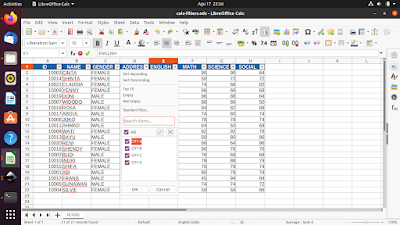
This tutorial will help you work with Filters feature in LibreOffice Calc (an alternative to Microsoft Excel) to create and use them. This feature, also known as AutoFilter, can help filtering and sorting out data in certain ways. You can download the document example below and go practice immediately. Now let's exercise!

Subscribe to UbuntuBuzz Telegram Channel to get article updates.
This collection of tutorials will help you learn LibreOffice Calc like Microsoft Excel. We published these gradually since 2022 and is still continuing. We hope these helps you all regardless your occupation being a student, a teacher or a worker. Happy studying!


Subscribe to UbuntuBuzz Telegram Channel to get article updates.

This is the ninth part of Calc Basics and here we will learn about the functions MIN and MAX to seek for minimum and maximum value. We still use the same exercise document following Part VIII from the series of this tutorial and you can download it below too. Now let's start the exercise.

Subscribe to UbuntuBuzz Telegram Channel to get article updates.
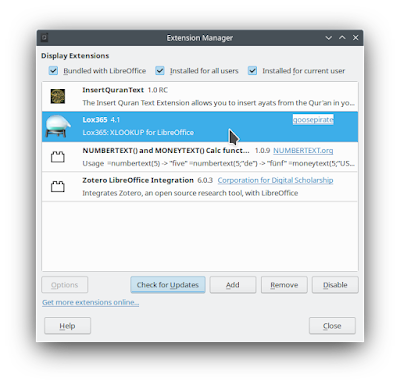
This tutorial will explain in short how to make LibreOffice Calc able to do XLOOKUP by adding an extension called Lox365. It will give you abilities of xlookup and more features like Excel. We would love to say thank you very much to the developer, Goose Pirate, for creating it. 


Subscribe to UbuntuBuzz Telegram Channel to get article updates.

This tutorial will show you an example of converting numbers to words with a function in LibreOffice Calc. It works by translating number, say 1234, into English words one thousand two hundred thirty four. The function in question is NUMBERTEXT, that spells numbers, and MONEYTEXT, that spells money currencies, all with translations to multiple languages including Chinese, German, Japanese, Korean, and Indonesian.
 

Subscribe to UbuntuBuzz Telegram Channel to get article updates.
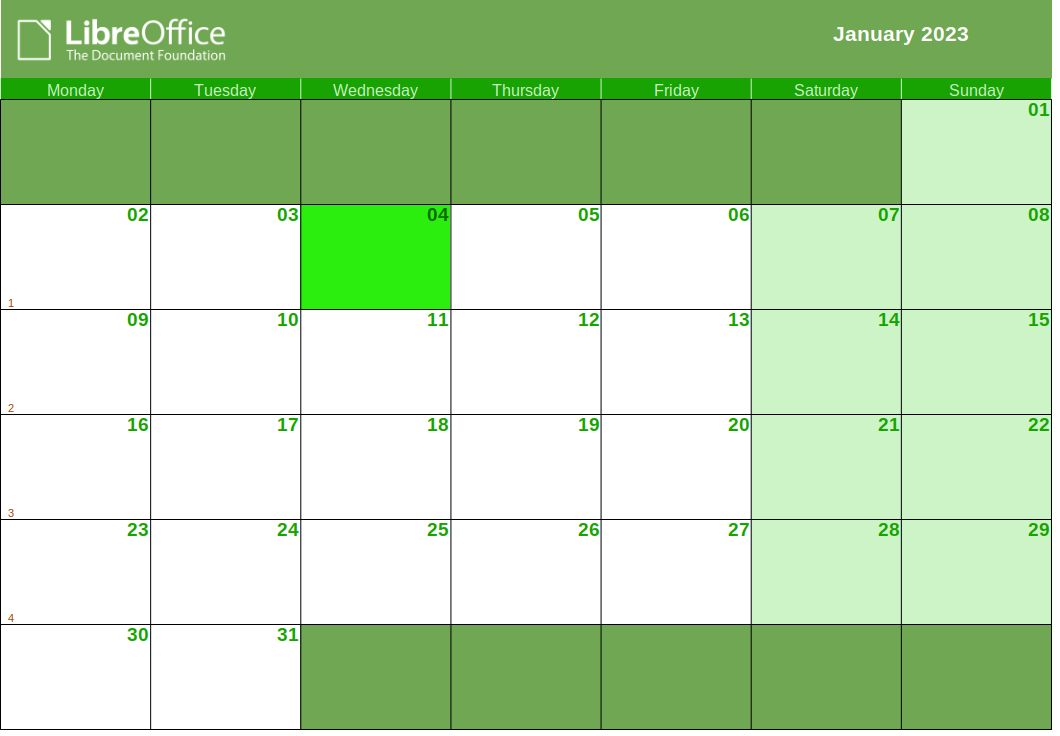
This tutorial will show you the exercise of making calendars with LibreOffice Calc. It works with multilingual translations automatically so you can easily print ones with English, Indonesian, German, Chinese, Japanese and other languages. Now let's exercise.


Subscribe to UbuntuBuzz Telegram Channel to get article updates.

This tutorial will help you be more productive with LibreOffice Calc by taking benefit of the existing, thousands of Microsoft Excel's templates on the internet. Thanks to LibreOffice compatibility features, this is possible. With this, you can quickly make invoices, receipts, project management, budget plans, financial reports, bookkeeping, teacher/student records and many more. Let's try now! 

(A budget plan spreadsheet from Vertex42.com opened in Calc)

Subscribe to UbuntuBuzz Telegram Channel to get article updates.

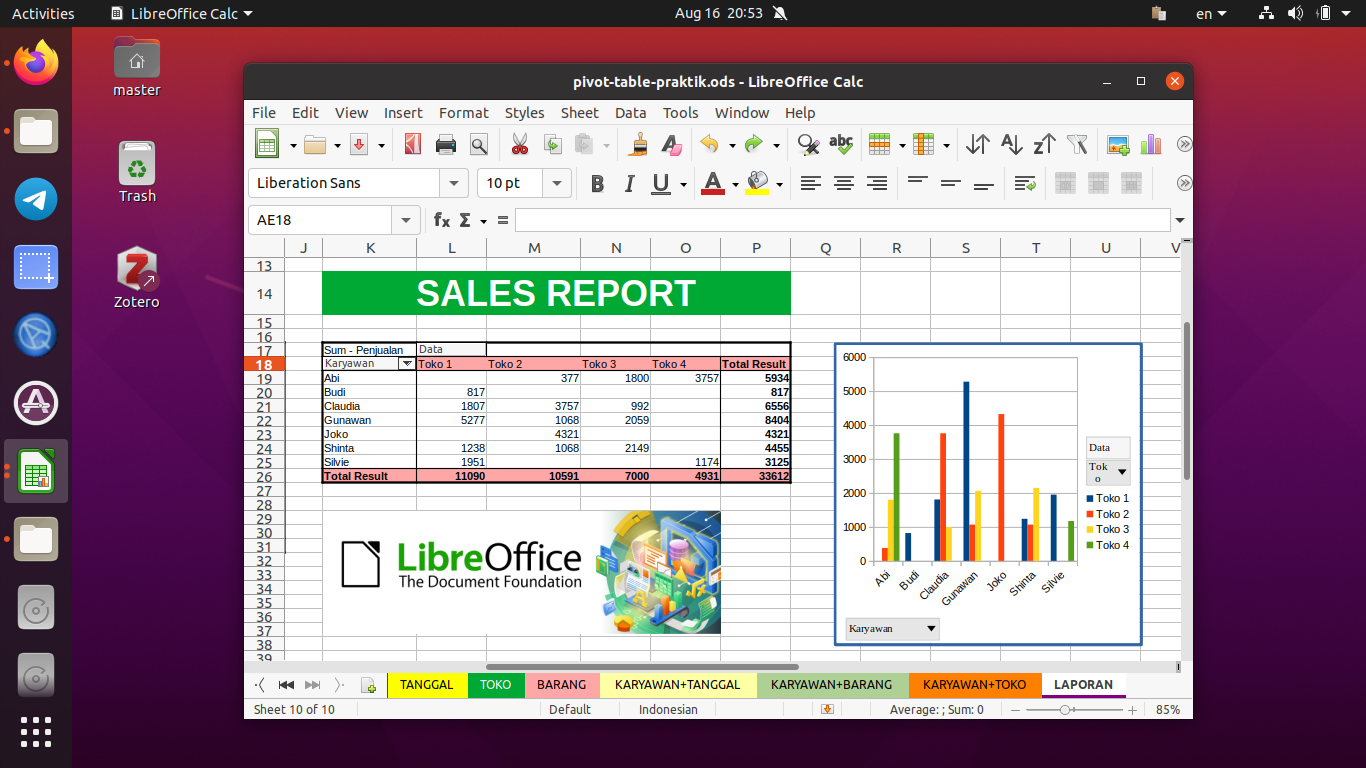
This tutorial will show you how to create Pivot Table using LibreOffice Calc -- the complete, free spreadsheet program for everyone. We will learn with examples and pictures by using a simple sales table to create sales report with multiple pivot tables we want. Now let's exercise!

Subscribe to UbuntuBuzz Telegram Channel to get article updates.
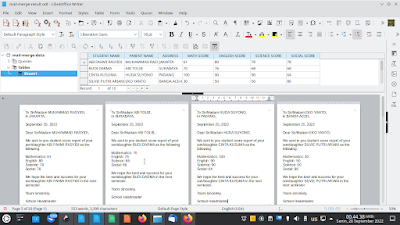
This tutorial will help you to create mail merge with LibreOffice explained step by step with pictures and examples. Mail merge is a method of making stuffs consisted of multiple personalized copies like official letters, invitations, envelops, identity cards, student score reports etc. using word processor, spreadsheet and database. Finally, in this exercise we will make school letters for students' parents as an example so you can practice and then adapt it to your own needs. Let's study now!


Subscribe to UbuntuBuzz Telegram Channel to get article updates.
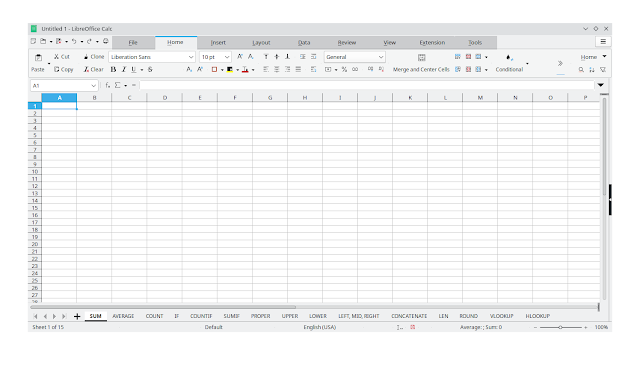
We have finished publishing a collection of very basic Calc Spreadsheet tutorials for beginner grade since January 2022. Calc is a spreadsheet for everyone from LibreOffice -- the most excellent free alternative to Microsoft Excel. This collection explains the use of 14 basic Calc Formulas from SUM to VLOOKUP divided into eight parts. Now you can easily learn and practice by reading them one by one via links below. Happy learning!

Subscribe to UbuntuBuzz Telegram Channel to get article updates.

This tutorial explains the horizontal variant of vlookup formula, called HLOOKUP, on LibreOffice Calc. We will learn first about data transposing, then manipulating it with the formula. As a reminder, if you haven't followed this LibreOffice Calc series, read the first and second parts here. Now let's try.

Subscribe to UbuntuBuzz Telegram Channel to get article updates.

This is the seventh part of Calc Basics and in this chance we will learn about VLOOKUP formula. For that purpose, we will make a simple student score viewer, so we can select a student's name for the computer to display his/her scores. As a reminder, if you haven't followed this Calc series, read the first and second parts here. Now let's try it. 


Subscribe to UbuntuBuzz Telegram Channel to get article updates.

This tutorial continues Calc Basics V and now we will learn a new formula namely ROUND. With this, we can simplify numbers. For example, we will simplify student scores based on the previous AVERAGE exercise. As a reminder, if you haven't followed this LibreOffice Calc series, read the first and second parts here. Now let's exercise again.

Subscribe to UbuntuBuzz Telegram Channel to get article updates.

This tutorial will explain with examples how to draw charts with LibreOffice Calc. You will need some data prepared beforehand. We will create very basic charts in form of Bar Charts to visualize student scores of their subjects of Math, English, Science and Social. This should gives a basic understanding of making charts. Let's try it now. 

Subscribe to UbuntuBuzz Telegram Channel to get article updates.

When you need to create a table quickly, for whatever numeric data in it, you can always use RANDBETWEEN formula in LibreOffice Calc. We prepare this tutorial for Creating Charts next time. Now, let's learn how to below. 

Subscribe to UbuntuBuzz Telegram Channel to get article updates.

Are you tired to do manual data entry into a spreadsheet? Would you like to make it easier with a form window? If you think this requires macros, no, it doesn’t require one. LibreOffice Calc can help you making data entry form instantly out of any table you have. Let’s create it now.
Subscribe to UbuntuBuzz Telegram Channel to get article updates.

This tutorial continues Calc Basics IV and now we will learn two new formulas namely LEN and CONCATENATE. As an addition, you will also learn new skills called Paste Special and also Compare Sheets to help you copying formula and text to your needs. As a reminder, if you haven't followed this LibreOffice Calc series, read the first and second parts here. Now let's study.


Subscribe to UbuntuBuzz Telegram Channel to get article updates.

This tutorial continues Calc Basics III now with LEFT, MID, and RIGHT formulas. By practicing this, you will be able to cut some text by number of characters to help you, for example, get first, middle and last names of students. Like usual, if you haven't followed this LibreOffice Calc series, read the first and second parts here. Let's start!


Subscribe to UbuntuBuzz Telegram Channel to get article updates.

In this third tutorial, we will learn about the next Calc formulas namely PROPER, UPPER and LOWER. These are useful formulas often used to change text quickly between typing cases, in bulk, mostly for people's names. Finally, if you haven't followed this LibreOffice Calc series, read the first and second parts here. Let's start.

Subscribe to UbuntuBuzz Telegram Channel to get article updates.

In this second part, we will learn the most basic Calc formulas namely IF, SUMIF and COUNTIF after previously we learned about SUM, COUNT and AVERAGE by examples. These are kinds of formula which often used for decision making, such as making student's grade based on score, and stuffs around that. This tutorial is part of our LibreOffice Calc learning by practices for the formulas often used in jobs. Let's start!

Subscribe to UbuntuBuzz Telegram Channel to get article updates.