

Showing posts with label students. Show all posts

This is the fourth compilation of our tutorials and other related articles on Ubuntu 24.04 "Noble Numbat," which have been published here at The Ubuntu Buzz since 2024. In the last compilation, we talked from the List of Ubuntu Default Apps to Thunderbird Email Client. In this episode, we compiled the articles from July and August, about Camera, for your video call experiences, the two penguin games Tux Math and Tux Typing, for your children's educational amusements, and more. We hope this compilation could be useful for you all, especially if you have just started with Ubuntu recently. Happy reading and see you next time!  


(Tux Typing is the highlight of this episode) 


Subscribe to UbuntuBuzz Telegram Channel to get article updates.

After successfully creating a sample LaTeX document in the previous tutorial, now we will try to understand the document structure in LaTeX with our Gummi Editor. We will learn, with pictures and examples, about sections (or similar to "headings" according to LibreOffice Writer) and basically how a document is organized. Now let's start our exercise!  


Subscribe to UbuntuBuzz Telegram Channel to get article updates.

This tutorial will help you make your first document by writing one page article in LaTeX using Gummi Editor part of our ongoing Gummi+LaTeX series in The Ubuntu Buzz. We intend this to students (and any other people) who begin their academic writings using LaTeX --the standard typesetting of academic world-- for their first time. Finally, you will also be able to download sample text below to make your exercise easier. Now let's start it!


Subscribe to UbuntuBuzz Telegram Channel to get article updates.

After we finished installing it, now this tutorial will explain the user interface of Gummi LaTeX editor. We will explain the six parts of its window including the purposes of their contents in simple yet easy to understand way. This knowledge will be useful when you start writing LaTeX documents later. Now feel free to start reading!


Subscribe to UbuntuBuzz Telegram Channel to get article updates.
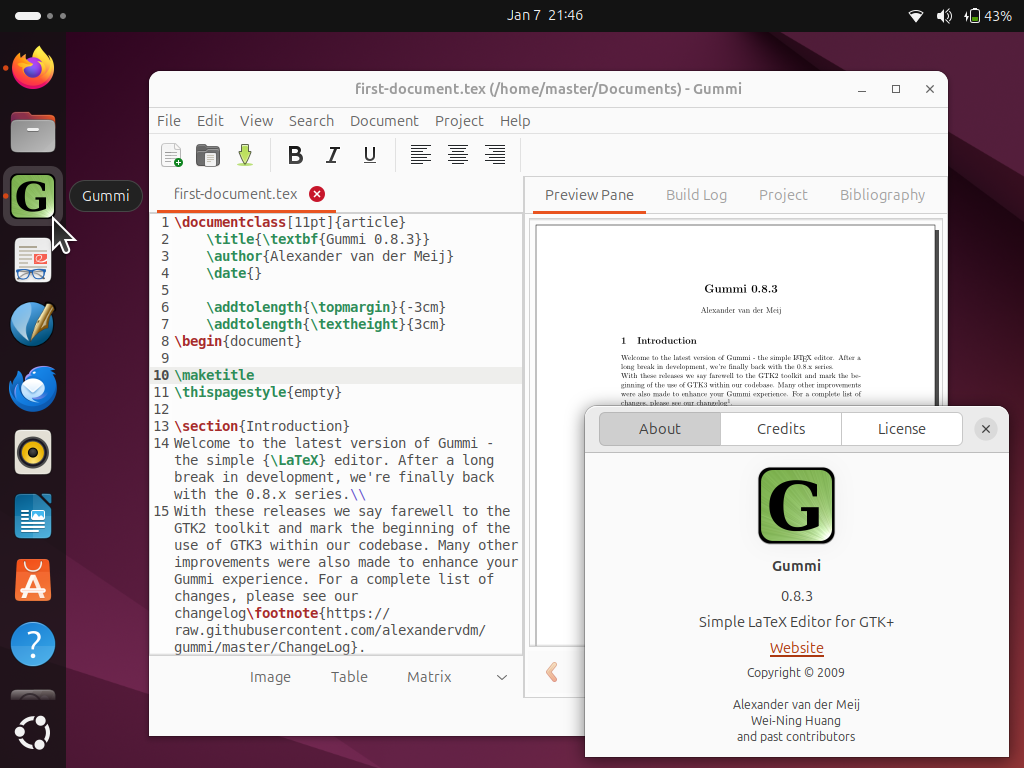
This tutorial will help you start learning about LaTeX, the standard of writing beautiful academic and scientific texts, very quickly on your Ubuntu computer. We will start writing LaTeX documents using Gummi Editor program known to be very easy to use for beginners and powered with a preview panel. This tutorial is suitable to Ubuntu 24.04 "Noble Numbat" and later versions. Finally, we wish you the best experience and beautiful writings!


Subscribe to UbuntuBuzz Telegram Channel to get article updates.

In this tutorial, we want to share with you one method we use to convert OBS Studio's video recording in MKV format into MP4 with very good compression (by almost 50% reduced file size) but by keeping the quality acceptable for students to watch at home. Let's read the tips below.


Subscribe to UbuntuBuzz Telegram Channel to get article updates.

This tutorial will explain with examples how to draw charts with LibreOffice Calc. You will need some data prepared beforehand. We will create very basic charts in form of Bar Charts to visualize student scores of their subjects of Math, English, Science and Social. This should gives a basic understanding of making charts. Let's try it now. 

Subscribe to UbuntuBuzz Telegram Channel to get article updates.