Showing posts with label mkv. Show all posts

This simple tutorial will help you join separate MKV video files into one my using mkvtoolnix command from the MKVToolNix software package. We use this in real life for merging separate sessions of our online course recordings and it is fast. However, this tutorial only discuss the merging and for converting into another format we recommend you to use FFmpeg. Now let's do it!


Subscribe to UbuntuBuzz Telegram Channel to get article updates.

In this tutorial, we want to share with you one method we use to convert OBS Studio's video recording in MKV format into MP4 with very good compression (by almost 50% reduced file size) but by keeping the quality acceptable for students to watch at home. Let's read the tips below.


Subscribe to UbuntuBuzz Telegram Channel to get article updates.
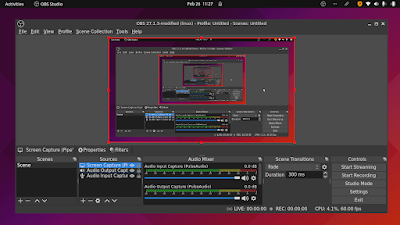
This tutorial will explain in step by step how to record a computer screen (also known as screencasting or screen recording) using OBS Studio program. The program is available on Ubuntu GNU/Linux and all other operating systems as well. This will result in a video with a select file format like mp4 or mkv with your voice recorded in. Optionally, we include the setup so you can also record two way voices, both input and output, to record a video conference session with many participants, for example. We will explain it from installing the software to finishing the video.

Subscribe to UbuntuBuzz Telegram Channel to get article updates.