

Showing posts with label video recording. Show all posts

Camera (GNOME Camera) is the default Ubuntu application for taking photos as well as recording videos. In other words, it is the application used to access webcam device in laptop or PC. It is useful i.e. in live streaming and video conferencing (for school teachers, office workers, your family) beside taking simple pictures. We will learn more about it here with a little bit howtos and beneficial references. We remind you that this episode is the continuation in this series after Calendar and before the next one Characters. Now, please enjoy reading!


Subscribe to UbuntuBuzz Telegram Channel to get article updates.
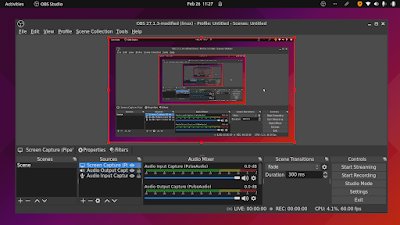
This tutorial will explain in step by step how to record a computer screen (also known as screencasting or screen recording) using OBS Studio program. The program is available on Ubuntu GNU/Linux and all other operating systems as well. This will result in a video with a select file format like mp4 or mkv with your voice recorded in. Optionally, we include the setup so you can also record two way voices, both input and output, to record a video conference session with many participants, for example. We will explain it from installing the software to finishing the video.

Subscribe to UbuntuBuzz Telegram Channel to get article updates.


This article gives three command lines of ffmpeg as example to capture video + audio of your desktop screen in GNU/Linux. You may choose between three popular video formats: WKV, WEBM, or OGV. Just run the command line.

Subscribe to UbuntuBuzz Telegram Channel https://telegram.me/ubuntubuzz to get article updates directly.