Showing posts sorted by relevance for query trisquel. Sort by date Show all posts

Trisquel 11 is officially released at the time of LibrePlanet Conference 2023 on 19 March marking its nineteenth years. The website announcement is published on Monday, 20 March, by emphasizing that now it is based on Ubuntu 22.04 "Jammy Jellyfish" LTS, will be supported for five years until 2027 and supporting even more architecture including ARM64 and POWER. Now as the tradition goes, we publish the news with the download links, mirrors, torrents and checksums including necessary how to's like making bootable and installing it to all dear readers. Happy downloading!
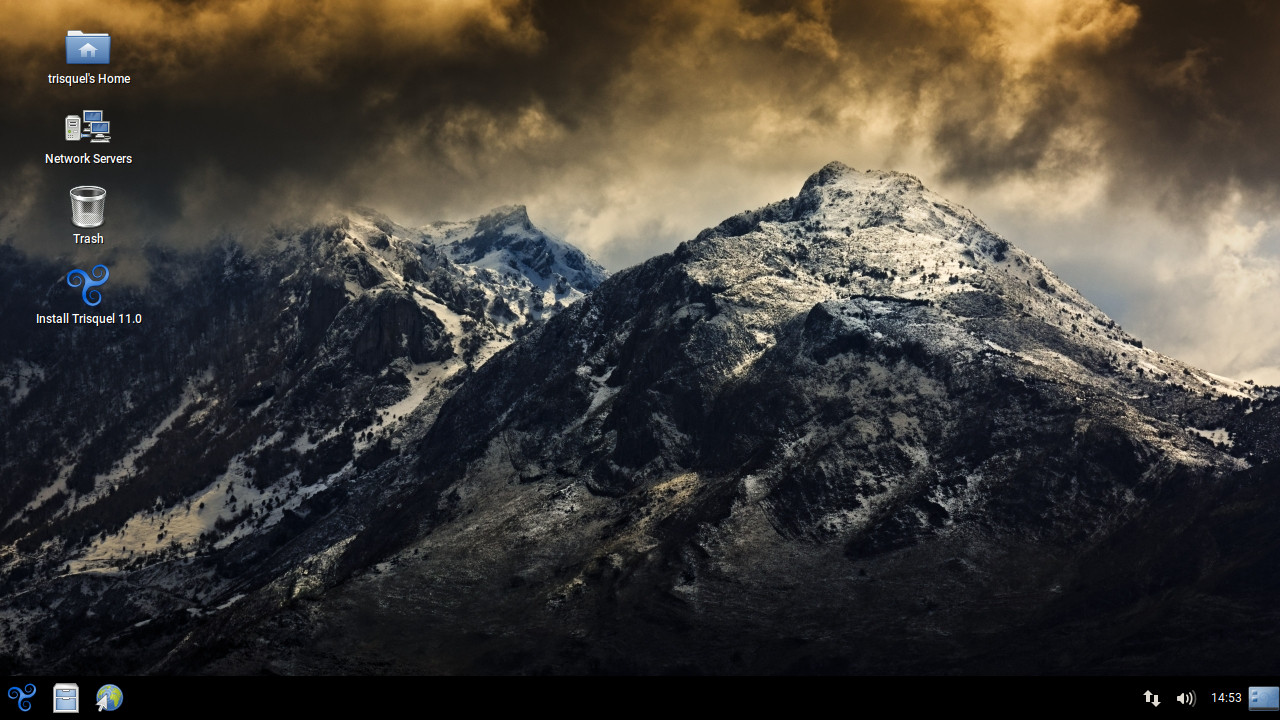
 (Trisquel 11 desktop picture from Trisquel Website)
Subscribe to UbuntuBuzz Telegram Channel to get article updates.

Trisquel 10 Nabia is released 1 February 2022! It is the latest version of the computer operating system that is completely free software, based on GNU/Linux and empowering the laptops series sold by Respects Your Freedom. Nabia, based on Ubuntu 20.04 Focal Fossa and will supported until April 2025, brings the latest enhancements, convenience and full control to software freedom users featuring a new wallpaper. This article collects Nabia download links, mirrors and torrents as well as the checksum for you. Now let's download!

Subscribe to UbuntuBuzz Telegram Channel to get article updates.


This is a short overview to Trisquel 8 Alpha Version operating system. Trisquel is a user-friendly desktop GNU/Linux distro derived from Ubuntu as 100% free software. Trisquel is certified officially by FSF along with gNewSense and Parabola. This 8th version comes with MATE as its user interface, with complete audio/video support in VLC, and a full suite of LibreOffice. Despite being alpha, it has 50000+ packages already in its repository worth to wait for the final. I hope this article can encourage anyone to use 100% free distro and spread it. Enjoy!

Subscribe to UbuntuBuzz Telegram Channel https://telegram.me/ubuntubuzz to get article updates directly.

We are pleased to welcome the long awaited Trisquel 9 LTS. This is the free computer operating system for everyone mostly suitable to replace Microsoft Windows or Apple MacOS for daily purposes and server. Codenamed Etiona and based upon stable base Ubuntu 18.04, Trisquel, at Friday 16 October 2020, it announces availability for desktop and server plus for old and modern computers. The new big thing is that now it features a KDE edition called Triskel. This list delivers all the download links plus computer vendors where you can purchase PCs or laptops with Trisquel.  


This article mentions basic information and links about Trisquel 8 GNU/Linux operating system codenamed "Flidas". This article is for beginners who interested in Trisquel but have difficulties to find collective resources about Flidas. This article is also for developers who want to help Trisquel development but don't know where to go. This article may be updated later as Flidas is currently being developed for the final release. I hope this article helps Trisquel 8 development as much as possible.

 (With a little configuration, Trisquel can be made USB multiboot with GLIM)

Trisquel is by default not supported by GLIM. So, this tutorial provides you support for Trisquel 8.0 "Flidas" for both Regular and Mini editions. In case you don't know, Trisquel is fully free software GNU/Linux distro that is user friendly based on Ubuntu. I publish this in 1 October 2019 so in the future GLIM may be changed to support Trisquel by default.

Subscribe to UbuntuBuzz Telegram Channel to get article updates directly.


Trisquel 8.0 LTS has been released at Wednesday, 18 April 2018. I regard it as the successful software freedom operating system of 2018. Trisquel GNU/Linux consists of 100% free software both in the system and in the repository. Look at it, compare it to regular distros, it's very lightweight and also complete by default (i.e. can play MP3 and MP4); then compare it to another freedom distros, it's long-standing (since 2007) plus actively developed and supported by its community; while it's already user friendly both in desktop appearance (MATE 1.12) and in the installation process (Ubiquity). For all kind of computer users especially software freedom people, I recommend Trisquel 8.0 for your computers!

Subscribe to UbuntuBuzz Telegram Channel to get article updates directly.


This recommendation article is for you first-timers & beginners who use Trisquel 8 "Flidas" GNU/Linux. If you just switched from MS Windows to Trisquel, then this is for you. Here you'll find suggestions in setting the desktop, changing the theme, adding applications, knowing useful browser addons, and seeing a short list of good applications you can install on Trisquel. In case this maybe interesting, you also can customize the Terminal appearance so it looks more cool that way. Finally, this article wished to make your first days with Trisquel easy and happy. So enjoy Trisquel!

Subscribe to UbuntuBuzz Telegram Channel to get article updates directly.


Trisquel 9.0 is a new version in development of Trisquel GNU/Linux operating system based on Ubuntu 18.04 LTS. On the end of December 2019, a good news comes that the 9.0 ISO Image is already available for us to test & report bug. This is a short review I made from LiveCD session of Trisquel 9 beta dated 12 December 2019 so you can see what's new, unchanged, and missing things. In short, I do not find any problem with this Beta, instead, I feel it is already smooth and useful. We really wish final version released soon and I hope this article introduces you well to Trisquel 9. Enjoy!

 
(A beautiful desktop of Trisquel 9 LiveCD Session)
Subscribe to UbuntuBuzz Telegram Channel to get article updates directly.

Here is my review of Trisquel 9.0 Etiona the newly released computer operating system. It is the successor of Flidas and now based on Ubuntu 18.04. It brings the latest improvements by excellently keeping its user friendliness from the family of most secure operating systems on earth. As always, I choose the Regular Edition, with MATE Desktop choice, to report this to you. We will see what’s new in this release and why I call it Software Freedom Vehicle now continuing Successful Freedom in the past. With Etiona, everyone can see that Free Software as well as copyleft are already practical and now we can see that even clearer than before. Let's go!
(The Freedom Vehicle)
Subscribe to UbuntuBuzz Telegram Channel to get article updates.

This is a long list of my tutorials and reviews about Trisquel operating system on this website UbuntuBuzz.com. I acknowledge Trisquel Forum's All Manuals long list as my inspiration of this very list. This list includes installation guide, bootable making, applications recommendation, printing and scanning, writing Arabic and Latin texts, software development, and so on. I hope you can find articles you want about Trisquel from this list. Enjoy!

(Trisquel operating system in action)
Subscribe to UbuntuBuzz Telegram Channel https://telegram.me/ubuntubuzz to get article updates directly.


Here is a beginner's guide to install Trisquel 8 GNU/Linux operating system. This 8th release is codenamed Flidas. It's still in alpha version per this 6 March 2017 but the latest ISO image is already installable (Ubiquity has been added). The installation steps are very familiar for any former Ubuntu user, and easy, but I write this so any new comer can have this user-friendly 100% free GNU/Linux distro at their home. I hope this helps you a lot.

Subscribe to UbuntuBuzz Telegram Channel https://telegram.me/ubuntubuzz to get article updates directly.


After examples of productive activities, I think it's time to know the ways to install more software on Trisquel GNU/Linux. Officially there is one way: run you Synaptic Package Manager and get software with it. This way gets you software from official Trisquel repository. That is the normal way we get more software on Trisquel. I will discuss how to do it first using Synaptic with internet access and later with Terminal without internet access. I consider it's enough to just download everything from official repository without third-party ones as it's guaranteed to be 100% free software. I hope this will help you a lot and make you days using Trisquel much more easier. Enjoy!

Subscribe to UbuntuBuzz Telegram Channel to get article updates directly.


Continuing second part, in this part I discuss Trisquel filesystem so you will know your Home Directory and other places you will use everyday. This involves running the file manager, understanding and managing things you look at it, including your disk partitions and external storages, and how to examine your disk capacity usage. You will also see permission and ownership information of files. By knowing the filesystem, I hope you can work with Trisquel GNU/Linux better and easier for your life. Happy working!

Subscribe to UbuntuBuzz Telegram Channel to get article updates directly.

This tutorial will help you with our practical suggestions about what to do after installing Trisquel 11 on your computer and laptop. This is intended mainly for beginner users especially those new in GNU/Linux world. Lastly, we wish easy computing for you with software freedom. Now let's practice.


Subscribe to UbuntuBuzz Telegram Channel to get article updates.

This tutorial will help you install Trisquel GNU/Linux 11 operating system to your computer. Version 11 is the latest release marking nineteenth years of Trisquel and it is based on Ubuntu 22.04 LTS. In this tutorial, you start by preparing the disk storage, bootable medium, and go through ten steps of the setup. Finally, you can practice this into PCs as well as laptops with a note that generally Trisquel will recognize hardware better with PCs. Happy installing!


Subscribe to UbuntuBuzz Telegram Channel to get article updates.


This article explains easy steps to install GNU IceCat web browser (a custom Firefox designed to protect internet privacy; more strict than Firefox) on 3 kinds of system: Ubuntu 16.04, Trisquel 8, and any of Trisquel/Ubuntu versions. This article is for you using latest Ubuntu or old version of Trisquel when you cannot find IceCat on repository. If you wonder why IceCat is important, read FSF's comparison between IceCat and Safari. I write this article as continuation of my previous internet privacy tools recommendation and to introduce IceCat to more audiences. Enjoy!

Subscribe to UbuntuBuzz Telegram Channel to get article updates directly.

Here's five useful apps for Trisquel 9 Etiona you may want to know. Their functionalities are among Android pairing (you have a phone, right?), communication, virtual machine, easy password manager, and education so those can help you in daily computing. You can add them simply by using Synaptic Package Manager from the start menu. Okay, now let's check them out!

(You can make Trisquel 9 does a friendly video call with your phone!)

Subscribe to UbuntuBuzz Telegram Channel to get article updates.


Continuing the first part, in this part I will discuss about accessing internet on Trisquel 8.0. This includes how to operate built-in programs for web browsing (Abrowser), emails (Icedove), chatting (Pidgin), and downloading torrents (Transmission). Nowadays everyone needs these a lot on their PCs and laptops including people with no technical skills so this kind of guide is important for them. I hope this guide will be really useful for you starting with Trisquel GNU/Linux. Happy working!

Subscribe to UbuntuBuzz Telegram Channel to get article updates directly.


This is the first part of an easy user manual series of Trisquel GNU/Linux operating system version 8.0 "Flidas". This manual is intended for you beginners and first-timers to operate Trisquel easily everyday. This whole series is practice oriented, with less theories and terms, more practical for daily use. This first part is basic orientation of Trisquel, you will learn the icons and places on Trisquel operating system. You will learn what applications already installed and their purposes, and important places you need everyday (i.e. where your Home folder is, where your partitions are, where your Control Panel is). Enjoy!

Subscribe to UbuntuBuzz Telegram Channel to get article updates directly.