Showing posts with label troubleshooting. Show all posts

This tutorial is inspired by errors and fixes we encountered when testing openSUSE Leap 16 yesterday. The problem is a kernel panic at boot time, so we cannot run it the same way we usually run other GNU/Linux operating systems up to today. After looking up and re-reading our old articles, we found out a solution. We hope you can run Leap 16 on a virtual machine quickly and easily with this. Now let's start reading and practicing!


 (A QEMU virtual machine showing openSUSE bootloader with Install Leap 16.0 as an option highlighted in light green)


Subscribe to UbuntuBuzz Telegram Channel to get article updates.

Did you find Ubuntu Files (also known as Nautilus File Manager) behave inconveniently when you access a disk volume or a flash drive? Yes, when accessing volumes, Files icon is inactive in the Ubuntu Dash (left panel) even though Files window is active and then the user must move the pointer down to hard disk drive icon. To us, this behavior is confusing and forcing user to frequently make unnecessary movements up and down or even worse scrolling down on it if he/she has a lot of pinned icons for daily work. Yes, this happened to us a lot for years. Fortunately, this is just an issue of configuration and we can fix this easily by simple explanation below.


Subscribe to UbuntuBuzz Telegram Channel to get article updates.
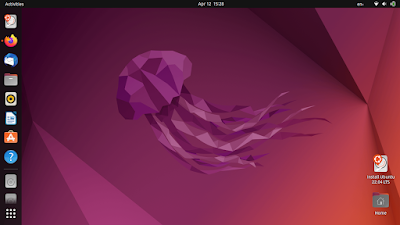
Do you experience performance issue with Ubuntu 22.04? We do, too, by using Kubuntu instead. We can confirm that many people are affected with this, both Ubuntu (GNOME) and Kubuntu (KDE) users including us and our students. We collected some solutions from several sources here to make it easier for you to do. We did it ourselves and it makes our system performance considerably better. Now let's take care of it.

Subscribe to UbuntuBuzz Telegram Channel to get article updates.

When you receive PDF files in Telegram Desktop, you might be disappointed when it opens in the wrong application not in your PDF reader. For example, in Kubuntu, it wrongly opens PDF with LibreOffice Draw, while it should be Okular. In other cases, it may instead opens PDF with web browser. We will show you how to fix this issue quickly. 

Subscribe to UbuntuBuzz Telegram Channel to get article updates.

Continuing similar issue fixing for KDE, it is now apparent that LibreOffice looks also "ugly" on Deepin 20 and later. This means its visual appears ancient unlike what users expect and look unmatched with the Deepin desktop themes. To solve this issue, follow these instructions.


Subscribe to UbuntuBuzz Telegram Channel to get article updates.

You may find you cannot update your Trisquel 8 computer. In my case, the issue is after about one year have not been used, today I run my Trisquel and I am unable to get more applications. For such issue, In most cases, the solution is to change your software sources and try updating once again. Below is how to fix it.

Subscribe to UbuntuBuzz Telegram Channel to get article updates.

Suddenly I cannot run my web browser on my computer. It is GNU IceCat on Trisquel operating system. More precisely, other applications seem to be worked normally but only this one failed to function and got some strange error. This issue can happen on other distros as well. Here is my report on this experience along with the solution and some references. I hope this report will be useful for GNU/Linux users everywhere.


Subscribe to UbuntuBuzz Telegram Channel to get article updates.

Recently I got an issue on Telegram that I suddenly could not speak to my voice call students on my computer with my favorite Plasma Desktop. This issue blocked all my teaching sessions since mid May and I was forced to use another (fortunately I have) operating systems with Telegram in my computer without Plasma which is less convenient for me for this job. Fortunately now after doing a workaround in volume control, it is solved, and finally I can do my job again. If you encountered similar issue with other software like Sound Recorder or Audio Editor, you can use this report too to solve it. Here is my report.

Subscribe to UbuntuBuzz Telegram Channel to get article updates directly.

Do you know that on Focal Fossa today the software center is switched to Snap instead of the traditional Deb we normally used? Do you notice the difference? If you dislike Snap, you can turn back Ubuntu 20.04 free from Snaps and switch the software center into the original one we used on previous releases.

Subscribe to UbuntuBuzz Telegram Channel to get article updates directly.


Lately, I cannot add nor remove bookmarks on file chooser dialog on KDE neon 5.11 GNU/Linux. This problem is annoying as I must manually navigate to deep directories each time. If I add one bookmark, new window won't show it; if I delete one, new window will still show the deleted one. In case you don't know, file chooser dialog shows whenever we click "Open File" or "Upload/Download" button while browsing the net. In short, I find out this is because wrong permission on a certain file of GTK2 in my $HOME directory. To fix this:

1) Find this directory: ~/.local/share/gtk-3.0/
2) Delete the file named bookmarks there
3) Now browse the net and try to open the file chooser dialog and try to add/remove bookmarks

Big thanks to Matthias Clasen (one of the respected developers of GNOME and GTK+ itself) for pointing out the clue at GitHub!


This article is licensed under CC BY-SA 3.0.


Subscribe to UbuntuBuzz Telegram Channel to get article updates directly.

I found that after installing KOrganizer on KDE Neon 5.10, the system experienced error in which I cannot login properly to desktop. The only clue is an error message saying that there is incompatibility in Qt library versions. The solution in my case is by apt-get upgrade:

Problems

  1. KOrganizer failed to start.
  2. KDE applications failed to start (Spectacle and Dolphin).
  3. After reboot, it failed to login to desktop. It shows only blank screen (except I still can login to tty).
My specification: Neon 5.10 operating system on a 64bit laptop.

Error Message

Cannot mix incompatible Qt library (version 0x50701) with this library (version 0x50900)

Solution

Previously, I reinstalled KDE Neon 5.10 just because of this problem. Once installed, I encountered this problem again! But finally I recognize that I just need to upgrade all packages to solve it:
sudo apt-get upgrade

Note: I didn't do apt-get dist-upgrade and it's OK. So in this case, dist-upgrade command is not needed.