Showing posts sorted by date for query appimage. Sort by relevance Show all posts

This is the second compilation of our Ubuntu 24.04 Noble Numbat tutorials which have been published here at The Ubuntu Buzz since 2024. In last compilation, we talked about downloading Ubuntu up to selecting our repository server among others. In this episode, we will remind you about CHM ebooks, AppImages, Telegram Desktop as well as the classic but powerful Synaptic Package Manager with a short review for each. We hope this compilation series will be useful to you and everyone. This marks our last article of that year in the month May. Please enjoy!


(Telegram Desktop running peacefully showing KDE Channel on Ubuntu Noble)


Subscribe to UbuntuBuzz Telegram Channel to get article updates.

This tutorial will help you creating desktop shortcuts with icons on GNOME desktop environment in general and Ubuntu 24.04 computer system in particular. We divide this tutorial into three sections, first is to create basic shortcut on desktop, second is to create a custom shortcut for a custom program or command line or shell script and third is to edit existing applications menu to suit your needs. This works for other systems as well for example Debian, Fedora and Guix. Now, let us start practicing!


Subscribe to UbuntuBuzz Telegram Channel to get article updates.

Happy news to us that GNU Image Manipulation Program now almost reaches version 3.0. This long time favorite application of us, also known as GIMP, is in rapid development stages and the Release Candidate or RC versions are already available for us to download and test (and report bug if we found any issue). As a part of the happy news, now GIMP 3.0 is officially available also as AppImage! For that reason, we can try it out as quickly as downloading and double-clicking it without removing the existing version installed. While we're all waiting for GIMP 3.0 RC to finally reach 3.0 stable, now let's start trying it out!


Subscribe to UbuntuBuzz Telegram Channel to get article updates.

Ark (formerly called KZip) is the archive manager application of Kubuntu. Ark is part of KDE (Kool Desktop Environment) which is the technology that builts up the desktop as well as the collection of apps and games of Kubuntu. We introduce Ark here to help new users to Kubuntu getting started with their new computing in GNU/Linux world. Now let's start reading and learning!


Subscribe to UbuntuBuzz Telegram Channel to get article updates.

This tutorial will help you install Ungoogled Chromium web browser on Ubuntu 24.04 "Noble Numbat". Ungoogled Chromium is the free software version of Chrome and its developers offers better privacy by cleaning it out from integrating with Google. This continues our last month's article Librewolf - A Firefox Alternative. Happy installing!

Subscribe to UbuntuBuzz Telegram Channel to get article updates.

This tutorial will quickly help you run AppImages applications and games on Ubuntu 24.04 "Noble Numbat". This includes how to solve the issue of missing required software package that is already known. You will be able to run all your favorite AppImages since the previous versions of Ubuntu. Now let's learn to do it and happy hacking!


Subscribe to UbuntuBuzz Telegram Channel to get article updates.

CPU-X is a free software for GNU/Linux users to display processor info, Intel or AMD, in ways similar to another program called cpu-z. It will show cpu brand logo along with other info of cpu, caches, ram, system in real time and benchmarks too. It comes as portable application so just click it will run with no installation needed. Enjoy!


Subscribe to UbuntuBuzz Telegram Channel to get article updates.

Pulsar version 1 for the first time released on Thursday, 15 December 2022 is the official successor to the free/open source Atom Editor software. Its slogan now says "A Community-led Hyper-Hackable Text Editor". The release date of Pulsar matches exactly the date of the discontinuation date of Atom like a seed sprouting a new tree right after an old tree died in a forest. It is available for all major operating systems namely GNU/Linux, MacOS and Windows. Currently, Pulsar is still under rapid development by the community and here we at Ubuntu Buzz want to convey the message to all computer users to try Pulsar and, if you can, help with the software development.

(Pulsar running on Ubuntu 20.04)

Subscribe to UbuntuBuzz Telegram Channel to get article updates.

LibreOffice 7.5 released Thursday 2 February 2023. This free libre and open source office suite is now available for all computer users especially those who use GNU/Linux, Microsoft Windows and Apple MacOS. It brings out a lot of improvements and new features, and among them, visual identities. Thank you to all the developers and contributors. Congratulations to the whole LibreOffice Community!

(Writer, Calc and Impress 7.5 opening two documents from the official Press Kit)

Subscribe to UbuntuBuzz Telegram Channel to get article updates.
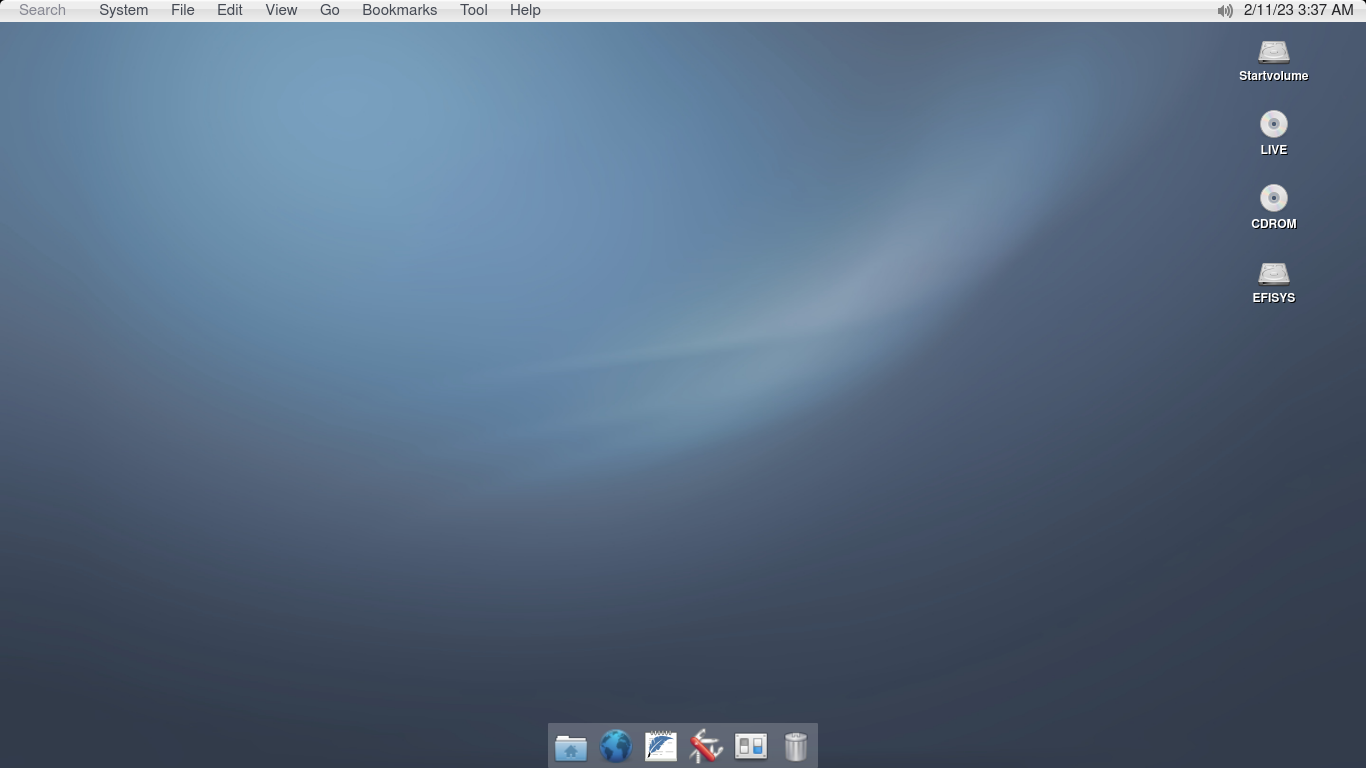
helloSystem is a completely new desktop operating system based on FreeBSD. It is created by the founder of AppImage technology for GNU/Linux, Simon Peter, a software developer from Germany. Its look and feel mostly designed to be like MacOS but ten times simpler. The application packages are also bundles too similar to AppImages we often use on Ubuntu. We are fans of AppImage and we would love to try out the helloSystem even though now it's still in alpha development stage. A good news for everyone is that it is Free/Libre Open Source Software and the project allows everyone to participate in the development. You can read the rest of our little adventure in this article. Happy reading!


Subscribe to UbuntuBuzz Telegram Channel to get article updates.
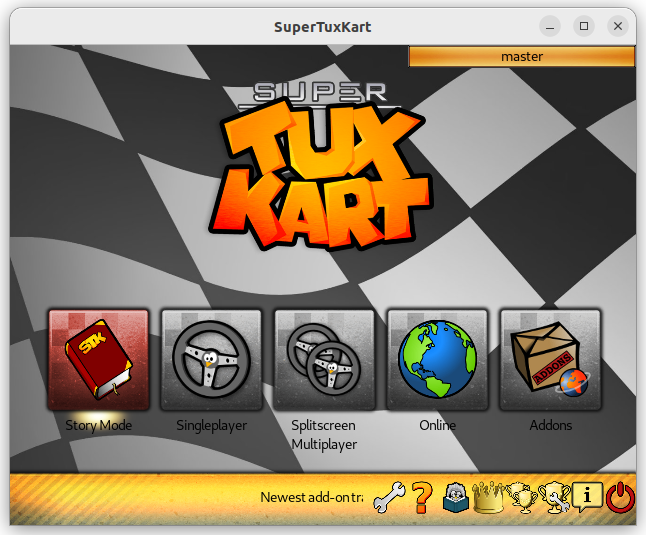
This list will help you recognize, get and play FOSS games on Ubuntu. By FOSS we mean no Valve Steam, only Free/Libre Open Source Software ones. Among them are widely known such as Freedoom and Super Tux Kart, and some of them also need more introduction such as Speed Dreams and Tux Math. Most of them can be added to Ubuntu via Software. We include both categories of educational and recreational ones here. This compilation is hoped to be helpful for teachers in teaching computing with FOSS including the games. Happy reading!
 
 
Subscribe to UbuntuBuzz Telegram Channel to get article updates.

This article explains how you can install OpenShot Video Editor on Ubuntu. OpenShot is a simple, very easy to use free software to edit videos that is suitable for general purpose users including teachers at school. This works with the OS version 22.04 and later as well as 20.04 and before.

Subscribe to UbuntuBuzz Telegram Channel to get article updates.

This is for multimedia and video editing people who work with Ubuntu and seeking for free libre open source software alternatives to Adobe Premiere or Windows Movie Maker alike. In order to write this overview article, we installed all programs on Ubuntu 22.04 to show you what you can do with them. We use Mandalika and Bunaken from Wonderful Indonesia as video materials. Happy editing! 


Subscribe to UbuntuBuzz Telegram Channel to get article updates.

Do you still use an older or unsupported Ubuntu on your computer? Don't want to upgrade for some reason? Then, you might want to update or install some new applications but you find it impossible. Good news for you! There are several solutions to fulfill these needs, which are, by making use of Flatpaks, AppImages and Snaps (let's call them FAIS for easier naming). Let's see how FAIS help us to run latest versions of LibreOffice, OnlyOffice, FreeCAD, Nextcloud Server some games and many more on Xenial Xerus (16.04 LTS) as the following. We deliberately chose Xenial so you can be sure that running them on newer Ubuntu will work.

Subscribe to UbuntuBuzz Telegram Channel to get article updates.

This is a list of free/libre open source software (FLOSS) alternatives to Visual Basic (part of Microsoft Visual Studio) computer programming platform. If your school is still teaching VB 6, or if you now use Ubuntu for programming classroom, we strongly suggest you to switch to either one of these alternatives. With these, one can create computer programs visually by drag and drop as well as coding just like what one can do with VB. 

Subscribe to UbuntuBuzz Telegram Channel to get article updates.

This tutorial explains how you can install Cinelerra-GG and Natron on Ubuntu version 16.04 LTS up to 21.10. Cinelerra's a professional video editor and Natron's a compositing + special effects software available for GNU/Linux. Both are Free Software, Libre and Open Source. Now let's start it.

Subscribe to UbuntuBuzz Telegram Channel to get article updates.

This tutorial explains how you can install LibreOffice version 7.0 and later on an Ubuntu computer with several choices of installation methods namely AppImage, DEB, PPA, Snap and Flatpak sorted by difficulty from beginner to advanced. Thanks to these choices, you who have computer with GNU/Linux distros other than Ubuntu can also practice this. Now let's install it.

Subscribe to UbuntuBuzz Telegram Channel to get article updates.

A Chromium web browser version with Google integration completely removed for privacy-oriented computer users, that is Ungoogled-Chromium. This tutorial will explain how to install it on Ubuntu, use DuckDuckGo Search engine, and make it default browser with quick and clear instructions. Let's do it!

Subscribe to UbuntuBuzz Telegram Channel to get article updates.

The email messenger, Delta Chat, is a Germany communication app which everyone can use and just works friends and family even without them using the same application. This article overviews it and give installation guide for Ubuntu and Android users. Let's chat!

Subscribe to UbuntuBuzz Telegram Channel to get article updates.

This article exposes LibreOffice with its built-in, Colibre Icons, which are made especially for Windows users with a lot of screenshot pictures. I made this collection of screenshots with LibreOffice 7.0 AppImage Version (click here to download) which is runnable in different OSes I use. Let's enjoy this!

Subscribe to UbuntuBuzz Telegram Channel to get article updates.