Showing posts with label office. Show all posts

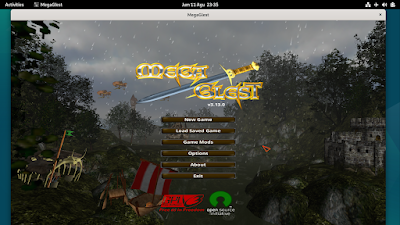
We collected ten games you can play on Debian 12 Bookworm GNU/Linux. They are all native games provided by Debian themselves and they are free software. You can immediately install and play these games by following command lines we provided under each one below. As a premiere bonus, we can also learn a lot of lessons about free software community so you can spread education about free software by playing with students at your school or friends at your office. Now choose your game and let's play!

Subscribe to UbuntuBuzz Telegram Channel to get article updates.


Learning is a goal many have. You can be a student who wants to prepare for your future career. You can be an employee who is looking to improve their skills and expand their knowledge. You can be a teacher or mentor who wants to support the learning process of their students. Either way, you’re surely using technology. And besides all the courses you can attend or organize, you can also use some basic tools for skills and plan development.

Getting an education in college can be an overwhelming and stressful thing at times. You have essays to write, group projects to collaborate on, assignments to submit. This is a learning process you are involved in continuously, so you can make it more productive and efficient. All these if you use Google Spreadsheets. Let’s find out what are the benefits of using them when you’re learning.

It is very easy to find a topic for writing essays
One of the problems that many students face is finding a topic for an essay. Sometimes it can be difficult, especially when there are a lot of things you want to talk about. And you certainly want to impress your professor, but you also want to write on a topic that will get his or her attention.

If you're wondering what the connection is between this and Google Spreadsheets, here it is. You can use this tool to compile statistics and see what essay topics come up most often. You can find free sample essays on many subjects, including literature topics here: https://edubirdie.com/examples/literature/, it's also worth noting that Edubirdie has a good selection of essays on various topics written by their team of professional writers. I'm sure they will be a good source of inspiration for you, as well as useful for your statistics.


Efficient Collaboration
Another benefit of using Google Spreadsheets in the learning process is that it ensures efficient collaboration. Group projects are mandatory and every student has to work in a team to deliver the project. This helps students learn the value of teamwork, but also how to collaborate and communicate efficiently.

Google Spreadsheets can be used to make collaboration more productive as it is an online tool. This means that students can access, edit, and see the changes live. Which makes working on a team, sharing documents, or working on statistics and data more productive and easier. Google Spreadsheets has a lot of nice features that contribute to the whole learning process.

Are you looking for multitab PDF viewer in Linux? Probably you want an alternative for Foxit Reader. Then use Qpdfview. It supports multitabbing. Also, it supports zooming, continuous view, fullscreen, properties viewing, sidebar, and so on. Fortunately, Qpdfview is available on Ubuntu official repository and many other distro repositories. Personally, I've used Qpdfview on my KDE as default PDF viewer because I always open many PDF files at once. I hope Qpdfview is useful for you too.

WPS Office a.k.a Kingsoft Office is a very good free Microsoft Office alternative for Linux users including Ubuntu. It has familiar ribbon-style user interface just like Microsoft Office 2007 has, it also has an ability to switch between ribbon-style interface to classic interface like LibreOffice does.

Google Drive with its office web application is a great office suite application alternative which provides a free, cross platform (because it's web based application) office suite for us. It allows us to create, edit, and collaborate office document with the other users. One of Google Drive advantages is we have to connect to the Internet in order to be able to access our Google Drive documents. It would be nice if there is an application which allows us to edit documents offline with basic syncing capability so we can sync edited document to Google Drive when connected to the Internet. GWoffice is obviously the answer for that matter!

If you are looking for a short game to waste your time, you should give "One Late Night" a try. "One Late Night" is a short 3D horror game experience which is available for Linux, Windows, and Mac freely. It means you can play it natively on Linux with no emulator needed.

If you are looking for another free office suite instead of LibreOffice, OpenOffice, Abiword, and soon, you should give FreeOffice a try. It is a freeware version from Softmaker Office suite. This bundle comes with three main applications:

  • FreeOffice TextMaker for creating and editing document (equivalent to LibreOffice Writer)
  • FreeOffice PlanMaker for creating and editing spreadsheet (equivalent to LibreOffice Calc)
  • FreeOffice Presentations creating and editing presentation (equivalent to LibreOffice Impress)

Footnote is an eycandy, fast, and simple note taking app from Elementary OS team, this app allows you to take notes efficiently and helps keep them organized. It also support exporting your notes to pdf format for record keeping.