Showing posts with label gpt. Show all posts

This tutorial will help you install Kubuntu 24.04 LTS "Noble Numbat" to your computer or laptop. Kubuntu is an operating system powered by KDE and Qt technologies, one Official Flavor among many from the Ubuntu GNU/Linux family. Different to previous OS versions, this version features a newly designed installer and despite that affects some points in the installation process, it is still as easy as ever for Kubuntu. As always, we wish you safe and successful installation!

 (Kubuntu Noble 2024 running gracefully on our old ThinkPad)


Subscribe to UbuntuBuzz Telegram Channel to get article updates.

This tutorial will help you setup Mageia 9 GNU/Linux (released 2023) on your computer or laptop with method choices including dualboot, UEFI with Windows or macOS and external disk drive. We will begin with requirements first and finish in eigth steps in under one hour. We wish you good luck. Now let's start it!

Subscribe to UbuntuBuzz Telegram Channel to get article updates.
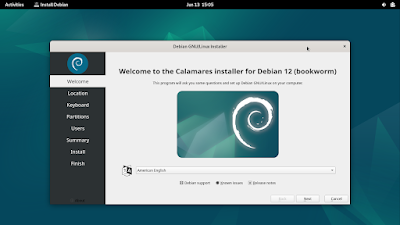
This tutorial will help you installing Debian GNU/Linux 12 codenamed Bookworm into your computer. We picked the easiest method for this by using Live GNOME, instead of Full DVD, edition. Thus, this is suitable for everyone especially beginner who wants to run Debian in dualboot mode alongside Microsoft Windows in a computer. You will get a working PC or laptop with Debian 12 Desktop as a result. Now let's start it.


Subscribe to UbuntuBuzz Telegram Channel to get article updates.

We want to share with you a note from our experience in converting a 320GB hard disk drive from MBR to GPT without data loss. We use gdisk, a famous tool by Roderick "Rodsbooks" Smith, and do several steps to finish it in a very quick time. Here's the results.

Subscribe to UbuntuBuzz Telegram Channel to get article updates.

This tutorial will show you how to install Fedora 38 to your desktop computer step by step with pictures.


Subscribe to UbuntuBuzz Telegram Channel to get article updates.

This tutorial will help you install elementary OS version 7 into your computer. OS 7 is released this year and based on the solid foundation, Ubuntu 22.04 LTS, made beautiful for your PCs and laptops. Please note that OS 7 installation has two sections thanks to its username creation step placed after booting (this way, it will help the raise of elementary OS branded computers). We confirmed it works on Lenovo ThinkPad laptop and we want to share it with you. Now let's begin the process and good luck!


Subscribe to UbuntuBuzz Telegram Channel to get article updates.

This tutorial will explain how to install Ubuntu 21.10 into your computer. The result of this tutorial is your computer will run Ubuntu operating system and can be viewed as alternative to Windows or macOS. This installation is flexible, as you may choose to install normally (to the internal hard disk) or externally (to USB flash drive or external HDD) in either BIOS Legacy-MBR or UEFI-GPT mode, for either dualboot or singleboot purpose. You will start everything by downloading the operating system itself, make required preparations, make a bootable medium, then booting and finishing the installation procedures step by step. Good luck!


Subscribe to UbuntuBuzz Telegram Channel to get article updates.

This simple tutorial will explain how you can prepare a hard disk or a USB flash drive with GUID Partition Table (GPT) technology for the purpose of operating system installation on UEFI computer. You can read this before installing a GNU/Linux distribution to your modern PC and laptop. Good luck!


Subscribe to UbuntuBuzz Telegram Channel to get article updates.

This tutorial explains how to setup Zorin OS 16 to a computer for end-users. This includes methods to install either to internal hard disk or external drive storage, even a USB Flash Drive, dualboot or singleboot, and with either UEFI-GPT or BIOS-MBR options. Please make backup  if you are dualbooting and be extra careful following every single step. Let's start!

Subscribe to UbuntuBuzz Telegram Channel to get article updates.

This tutorial explains Debian 11 installation procedures. This tutorial is suitable for everyone who wants either dualboot, UEFI or BIOS Legacy, normal or external storage method in installing Debian 11. The result expected from this installation is a ready to use Debian 11 with GNOME user interface, LibreOffice, Firefox and other daily software packages and you can have it stored not in internal hard disk in computer but a USB flash drive instead.


Subscribe to UbuntuBuzz Telegram Channel to get article updates.

This is our tutorial on installing Ubuntu Desktop 21.04 on a computer with UEFI/GPT, dualboot, and external disk instructions with pictures included. Finally, by following this tutorial you can have Ubuntu Hirsute on your PC, laptop, or virtual machine or even an external hard disk drive. Let's go!


Subscribe to UbuntuBuzz Telegram Channel to get article updates.

This is my experience on installing openSUSE, the green chameleon operating system, Leap Edition version 15.2 to my computer. It is a family of GNU/Linux hence a distant sibling to Ubuntu with a distinct feature called YaST, the green tapir control panel, on top of its RPM software package basis. I installed it on a virtual machine in normal method as I used on Ubuntu. However, this can be used for actual installation to the real hardware directly including in dualboot mode. Thus, I share this with you by wishing it to be useful. Let's go!
Subscribe to UbuntuBuzz Telegram Channel to get article updates.

This article shows how to boot a T430 laptop in BIOS (Legacy) and UEFI mode with Ubuntu operating systems. Thus, you will be able to boot either a hard disk, a solid state drive, or a USB flash to install such OS. Setups mentioned in this article are useful to help you install Ubuntu in modern standard UEFI-boot, GPT-partitioned, even in a 16GB USB mass storage. Now, let's learn!

Subscribe to UbuntuBuzz Telegram Channel to get article updates.

This tutorial explains step by step to format a USB Flash Drive with GPT technology on Ubuntu. You do not need to install additional software thanks to the built-in Disk Utility tool. Not only to flash drive, you can also apply this tutorial to hard disk and other storage media drives. I hope this could be useful for you!

(Ubuntu Disk Utility after formatting a GPT flash disk drive)