

Showing posts with label openjdk. Show all posts

This tutorial will help you install Java Development Kit or JDK on Ubuntu 24.04. This is required for you to do software development in Java programming language because it contains the compiler and Java Virtual Machine alias JVM as well as the libraries. It is not to be confused with JRE, as JRE is required only for running, while JDK is required for creating Java applications. Finally, we will install OpenJDK, the free software implementation of Java default to Ubuntu and let's continue reading.


Subscribe to UbuntuBuzz Telegram Channel to get article updates.

This tutorial will help you install Java Runtime Environment or JRE on Ubuntu 24.04. We will use the free software version, the GNU GPL licensed one, from the popular OpenJDK Project. JRE is required by a lot of software applications coming from both our Free Software Community as well as custom ones made in your organization. Now let's start installing!


Subscribe to UbuntuBuzz Telegram Channel to get article updates.
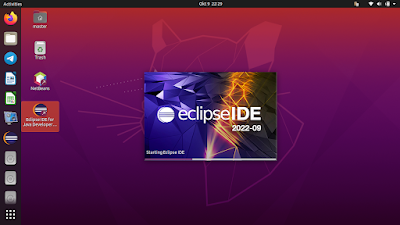
This tutorial will help you install Eclipse with its visual development tool Window Builder. With this, you can develop computer applications in Java programming language rapidly by drag and drop aside from writing code and produce high quality Graphical User Interface (GUI) applications. Now let's install it!

Subscribe to UbuntuBuzz Telegram Channel to get article updates.


This tutorial gives a brief example how to install and setup things to develop Java on Linux Mint system. We will use Geany as the text editor and OpenJDK as the tools. You will also try to create first Java program and run it. I intended this tutorial to help students and beginners who use  GNU/Linux with their first days in learning Java. Happy coding!

Subscribe to UbuntuBuzz Telegram Channel to get article updates directly.


This tutorial is for you to setup Java tools and text editor so you can do Java programming on Ubuntu. The tools are OpenJDK and the editor is Geany, a lightweight & user-friendly IDE. The platform used here is Java Standard Edition (Java SE). This tutorial is intended for students especially those switching from Windows and those who avoiding resource-hungry editor like Netbeans/Eclipse. Enjoy!

Subscribe to UbuntuBuzz Telegram Channel to get article updates directly.