

Showing posts with label gui designer. Show all posts

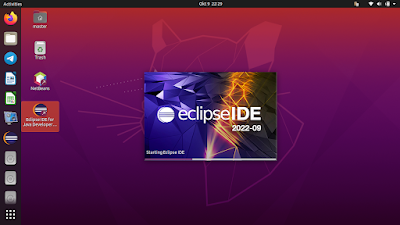
This tutorial will help you install Eclipse with its visual development tool Window Builder. With this, you can develop computer applications in Java programming language rapidly by drag and drop aside from writing code and produce high quality Graphical User Interface (GUI) applications. Now let's install it!
Subscribe to UbuntuBuzz Telegram Channel to get article updates.
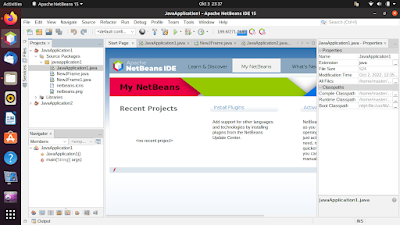
This tutorial will explain how you can install Netbeans, the one of the most popular free software Java IDEs, completely with GUI designer. The graphical user interface (GUI) designer, also called rapid application development (RAD) tool, is a visual way to create applications by drag and drop alongside with writing lines of code. Now let's do it.

 (Netbeans running on Ubuntu 20.04)

Subscribe to UbuntuBuzz Telegram Channel to get article updates.

This tutorial will explain how you can start software development with CodeBlocks with wxWidgets Framework and GUI designer wxSmith. Aimed for beginners, this is an expansion of our alternatives to Visual Basic, Studio or Delphi. We hope this could help, support and enable everyone to Free Libre Open Source Software development. Now let's start.

Subscribe to UbuntuBuzz Telegram Channel to get article updates.

This tutorial explains how you can install CodeBlocks with C++/wxWidgets library and GUI designer for visual software development. Fortunately, all tools are available already on Ubuntu. CodeBlocks is the IDE, cpp is the language, wxWidgets is the user interface toolkit, and wxSmith plugin is the designer. This tutorial is wished to help you in making cross platform programs rapidly with drag and drop approach aside from coding also known as a Visual Basic or Delphi alternative. Now let's go.

Subscribe to UbuntuBuzz Telegram Channel to get article updates.

This is a list of free/libre open source software (FLOSS) alternatives to Visual Basic (part of Microsoft Visual Studio) computer programming platform. If your school is still teaching VB 6, or if you now use Ubuntu for programming classroom, we strongly suggest you to switch to either one of these alternatives. With these, one can create computer programs visually by drag and drop as well as coding just like what one can do with VB. 

Subscribe to UbuntuBuzz Telegram Channel to get article updates.