

Showing posts with label java. Show all posts

This tutorial will help you install Java Development Kit or JDK on Ubuntu 24.04. This is required for you to do software development in Java programming language because it contains the compiler and Java Virtual Machine alias JVM as well as the libraries. It is not to be confused with JRE, as JRE is required only for running, while JDK is required for creating Java applications. Finally, we will install OpenJDK, the free software implementation of Java default to Ubuntu and let's continue reading.


Subscribe to UbuntuBuzz Telegram Channel to get article updates.

This tutorial will help you install Java Runtime Environment or JRE on Ubuntu 24.04. We will use the free software version, the GNU GPL licensed one, from the popular OpenJDK Project. JRE is required by a lot of software applications coming from both our Free Software Community as well as custom ones made in your organization. Now let's start installing!


Subscribe to UbuntuBuzz Telegram Channel to get article updates.

The Ubuntu Buzz has been covering several programming languages setup for years including C, C++, Java, Pascal, Rust, Qt, GTK and so on. This includes well known programmer text editors like Codeblocks, Eclipse, Geany, Qt Creator and so on.  Believe us, they are the kind of articles with so many of readers until today. This compilation collects all of them in one list below. We hope this will help you a lot especially when you start as student in Informatics major in the college. Happy hacking!


Subscribe to UbuntuBuzz Telegram Channel to get article updates.
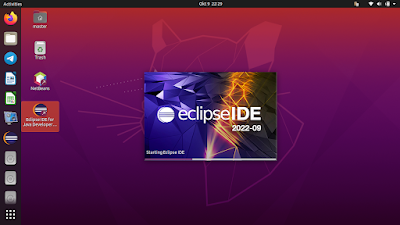
This tutorial will help you install Eclipse with its visual development tool Window Builder. With this, you can develop computer applications in Java programming language rapidly by drag and drop aside from writing code and produce high quality Graphical User Interface (GUI) applications. Now let's install it!

Subscribe to UbuntuBuzz Telegram Channel to get article updates.
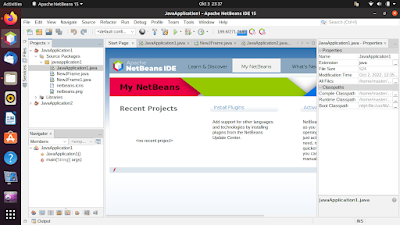
This tutorial will explain how you can install Netbeans, the one of the most popular free software Java IDEs, completely with GUI designer. The graphical user interface (GUI) designer, also called rapid application development (RAD) tool, is a visual way to create applications by drag and drop alongside with writing lines of code. Now let's do it.

 (Netbeans running on Ubuntu 20.04)

Subscribe to UbuntuBuzz Telegram Channel to get article updates.

This is a list of free/libre open source software (FLOSS) alternatives to Visual Basic (part of Microsoft Visual Studio) computer programming platform. If your school is still teaching VB 6, or if you now use Ubuntu for programming classroom, we strongly suggest you to switch to either one of these alternatives. With these, one can create computer programs visually by drag and drop as well as coding just like what one can do with VB. 

Subscribe to UbuntuBuzz Telegram Channel to get article updates.


This tutorial gives a brief example how to install and setup things to develop Java on Linux Mint system. We will use Geany as the text editor and OpenJDK as the tools. You will also try to create first Java program and run it. I intended this tutorial to help students and beginners who use  GNU/Linux with their first days in learning Java. Happy coding!

Subscribe to UbuntuBuzz Telegram Channel to get article updates directly.


This tutorial is for you to setup Java tools and text editor so you can do Java programming on Ubuntu. The tools are OpenJDK and the editor is Geany, a lightweight & user-friendly IDE. The platform used here is Java Standard Edition (Java SE). This tutorial is intended for students especially those switching from Windows and those who avoiding resource-hungry editor like Netbeans/Eclipse. Enjoy!

Subscribe to UbuntuBuzz Telegram Channel to get article updates directly.

Well, there is already a PPA which contains an installation script of Oracle Java on Ubuntu. This script automatically download the installer from Oracle's website, install it on the computer, and finally configure it as default JVM on Ubuntu. Please click here for further information about this PPA. Using installer script is the easiest way to get things done, but in case you don't trust the script which can damage you system, you can still install Oracle Java manually. You do all the stuff by yourself!

Downloading the binary
First thing first, please download the Oracle Java binary from Oracle's website. If you want to develop Java application, you should choose JDK, but if you want just run Java application, the JRE should be suitable for you.

Hello mate! Today, I'd like to write about installing the latest version of Oracle Java, that's Oracle Java 8. Installing Oracle Java 8 on Ubuntu is as simple as installing another applications. It's because there is a PPA which provides an installer script. It downloads and installs the Oracle Java 8 automatically, make Oracle Java 8 as default Java on Ubuntu, and uninstaller in case you want to remove Oracle Java 8 from your system.

Java-based application is very popular nowadays, it's because Java-based applications can run on any operating system e.g. Windows, Linux, and Mac with JRE (Java Runtime Environment) installed. Recently, I wrote some Java-based applications in Ubuntu Buzz! Most of those applications work well with OpenJDK/JRE. But, if you want to use Oracle Java instead of the "open" solution, you can do it easily. For your information, Oracle Java is no longer available on Ubuntu repositories because some changes in Java license. Fortunately, there is a script which can automatically download and install the latest Oracle Java on Ubuntu.

It's possible to run java-based phone application such as Opera Mini, Mig33, Nimbuzz, etc on Ubuntu. Well, by using MicroEmulator, it can be done easily! Today, I'd like to show you step-by-step on how to do it. Let's get started!

jCodeCollector is a Java-based application which can help you to save, organize, and manage code snippets.

What is a snippet?
A snippet is a programming term for a small region of re-usable source code or text. Ordinarily, these are formally-defined operative units to incorporate into larger programming modules. Snippets are often used to clarify the meaning of an otherwise "cluttered" function, or to minimize the use of repeated code that is common to other functions. Via: Wikipedia
This application is useful for developers or Linux users who often perform some scripts regularly. It supports syntax highlighting for many programming language such C/C++, HTML, SQL, Java, PHP, etc. As it is Java-based application, jCodeCollector is available for Windows, Linux, and Mac OS X.

As we all know, Sun Java 6 are being removed from Ubuntu for the following reasons:

  • As of August 24th 2011, Canonical no longer have permission to redistribute new Java packages as Oracle has retired the “Operating System Distributor License for Java”.
  • Oracle has published an advisory about security issues in the version of Java currently in the partner archive. Some of these issues are currently being exploited in the wild.
  • Due to the severity of the security risk, Canonical released a security update for the Sun JDK browser plugin which disables the plugin on all machines.
  • In the near future, Canonical will remove all Sun JDK packages from the Partner archive. This will be accomplished by pushing empty packages to the archive, so that the Sun JDK will be removed from all users machines when they do a software update. Users of these packages who have not migrated to an alternative solution will experience failures after the package updates have removed Oracle Java from the system.