

Actually, Zotero has full support in Mozilla Firefox. In Chromium browser (and Google Chrome), it has only Zotero Connector. Zotero Connector for Chromium is an extension to work with Zotero Stand Alone (or with the cloud Zotero server). It has no Zotero user interface like the one for Firefox. Here how to install it.
Showing posts with label chrome. Show all posts
Showing posts with label chrome. Show all posts

After trying SSH Tunneling, probably you feel it is painful to change proxy settings manually every time. And maybe you have another proxy so you need a quick proxy changer. There are extensions to help us change the proxy settings by just a click. It is SwitchySharp for Chrome and Proxy Selector on Firefox. Of course, you may create different proxy configurations as many as possible if you have more than one. I will show you how to install and use it.
After a few months of usage, you will find your browser getting slow. It seems heavy to start. It is also heavy to load some Facebook pages and some other pages. It seems that your browser have a problem. The most common problem is your browser is getting fatty. The fat I mean are cache, bookmark, history, and add-on. All of them stored in a browser profile. So, basically, to solve this problem you need to create a new profile. Your browser will be speedy again. This article covers only Chrome and Firefox.
 |
| Different Browsers with Same Bookmarks |
Now you can read PDF directly inside Google Chrome or Chromium. It is just same with Firefox built-in PDF reader. To get it, you need to install a Chrome extension named PDF Viewer. This extension created by Rob Wu and friends. This extension is available in Chrome Web Store. The development page of PDF Viewer is on Github (if you want to contribute). This extension is compatible both in Chromium or Google Chrome.
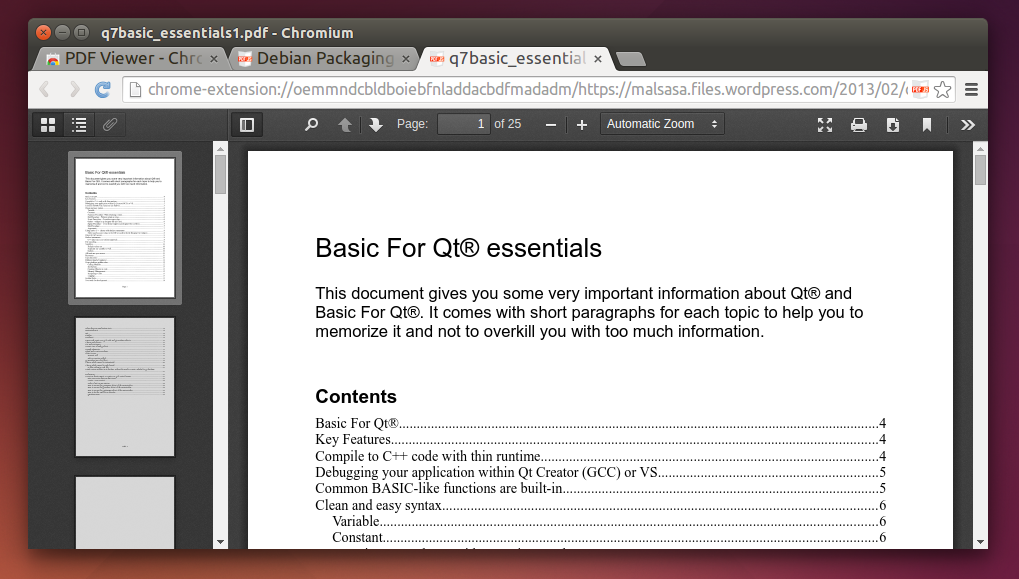 |
| View PDF in Chromium Browser |
Google actually will track every your click in the search result page. Google redirects all links. So you never get the real URL when doing Copy Link Location. So how to remove that Google behavior in Chrome/Chromium and Firefox? How to protect yourself from this Google indirection? You just need the right add-ons.
.png) |
| Freedom To Copy A Link |

The browser as operating system is apparently not working out for Google. I mean, have you ever thought of ditching your favorite operating system in favor of a browser only Chrome OS? Or purchasing a Chrome Book for that matter ?
For those who doesn't know what WebGL is:
WebGL (Web-based Graphics Library) is a software library that extends the capability of the JavaScript programming language to allow it to generate interactive 3D graphics within any compatible web browser. WebGL code executes on a computer display card's Graphics Processing Unit (GPU), which must support shader rendering.WebGL is a context of the canvas HTML element that provides a 3D computer graphics API without the use of plug-ins.[2] The specification was released as version 1.0 on March 3, 2011.[1] WebGL is managed by the non-profit Khronos Group.
via: Wikipedia
