Showing posts with label Zekr. Show all posts

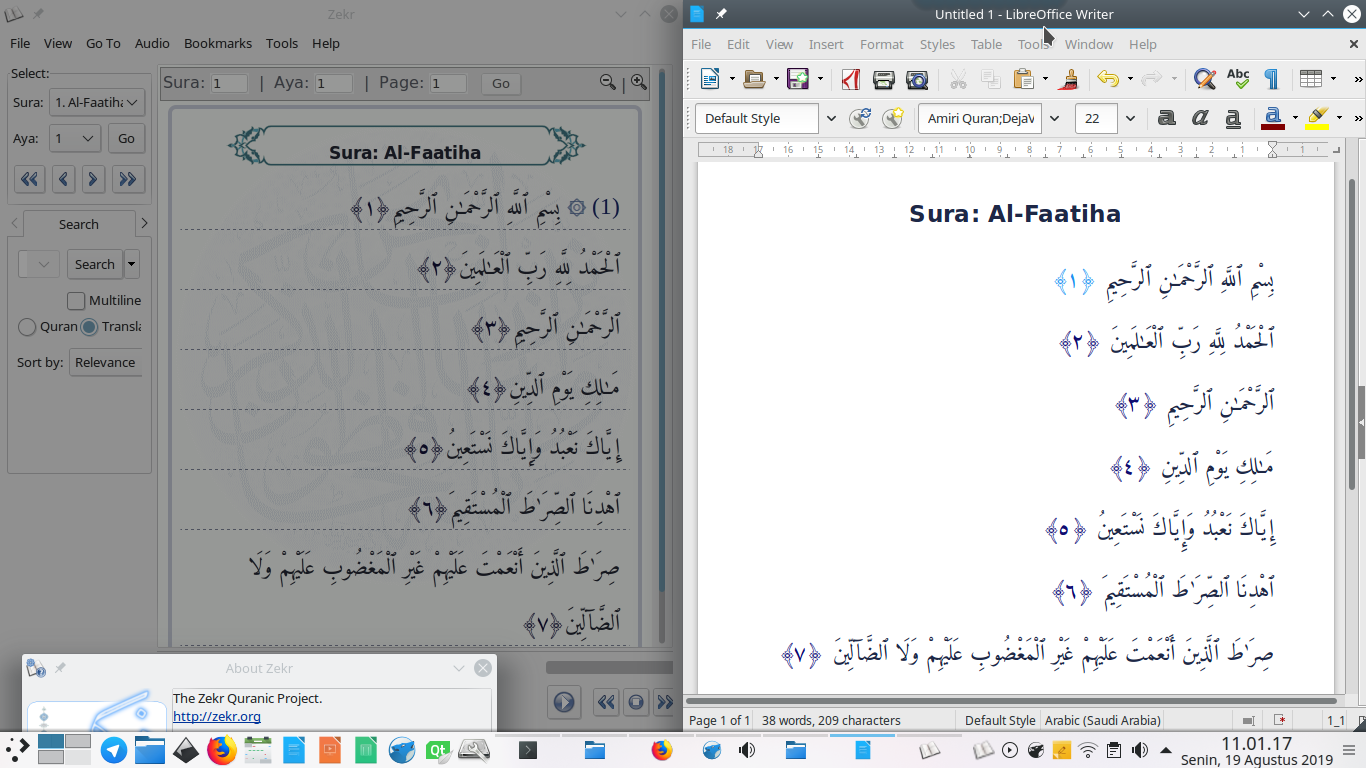
 (After setting things up, LibreOffice displays copied arabic text correctly)

You may notice that Arabic text copied from Zekr Quran Reader looks not right on LibreOffice Writer. That's right, it's because of the Right-to-Left switch has not been enabled on LibreOffice. Fortunately, it's really easy to handle. I will take chapter 1 Al Faatiha as example. Straight to the point, here's the setup.


This tutorial explains how to install Zekr on 18.04 and configure a good font for it. You will need to download the Zekr program itself, install Java on your system then, and finally install Zekr correctly. And, I suggest you here to use Amiri Quran font with Zekr because I find it's the best for now. Don't worry, although Zekr is not present anymore in the Bionic repository, we still can install it manually by these instructions. Have a good reading!

Subscribe to UbuntuBuzz Telegram Channel to get article updates directly.

Almost after two years of being in inactivity, the latest version of the first and only open source Quran tool Zekr is available for download. The latest version comes out with many new features and bug fixes. Ubuntu and Linux mint users can install Zekr from PPA.

Mohsen Saboorian the developer of Zekr dedicated the new version to the  Muslims of Rohingya, Myanmar, world’s most prosecuted people who are expelled, killed and oppressed as a daily routine in their own country. And urged the whole Muslim world to pray for them in this holy month of Ramadan.